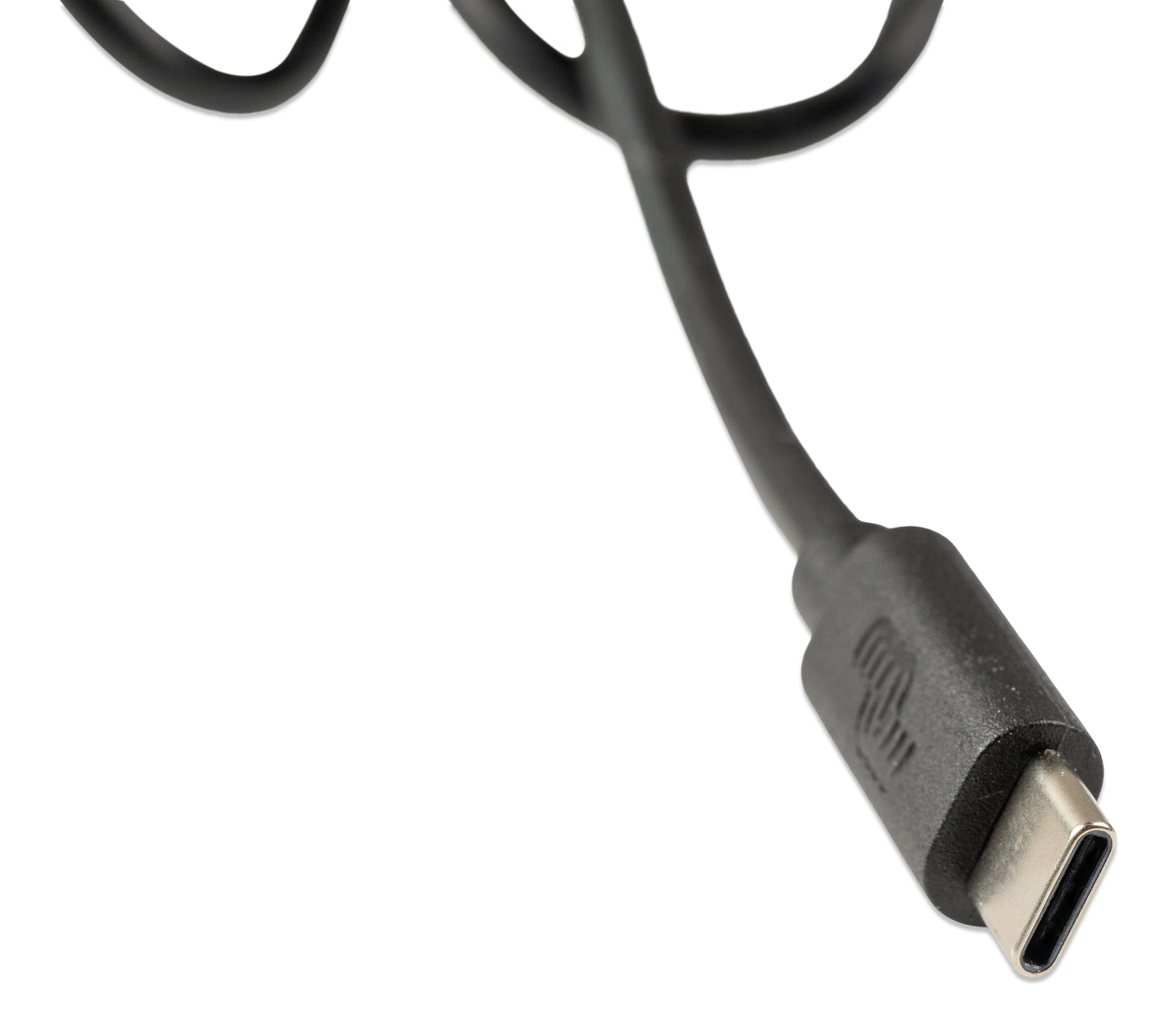
Victron Interface MK3-USB


Regular price
$65.45
Sale price
$65.45
Regular price
$77.00
Unit price
per
IVV80015
ASS030140030
Questions about compatibility? Call us for help.
Get an additional off
Add the item to cart to apply the discount
Ships in 1-2 business days
Carrier delivery times and cost shown at checkout.
Couldn't load pickup availability
The Victron Interface MK3-USB and MK3-USB-C are essential configuration and firmware update tools that connect any Victron VE.Bus inverter or inverter/charger to a Windows, macOS, or Android computer or smartphone via USB. The only functional difference between the two variants is the computer-side connector- the MK3-USB (ASS030140000) uses a standard USB-A plug, while the MK3-USB-C (ASS030140030) uses a USB-C plug for compatibility with modern laptops and tablets that lack USB-A ports. Both variants use an identical RJ45 VE.Bus connector on the inverter side and provide the same full VE.Bus configuration and firmware update capability.
The MK3 interface is required for initial parallel, three-phase, and split-phase configuration of VE.Bus inverter/charger systems - tasks that can only be performed via a direct MK3 connection and cannot be completed via VRM, a GX device, or any other remote interface. It is also required for firmware updates to VE.Bus products and for advanced configuration using VE.Configure on Windows - the most comprehensive configuration tool for Victron MultiPlus, Quattro, and Phoenix VE.Bus inverters.
The interface connects to the RJ45 VE.Bus port on the inverter or inverter/charger using a standard factory-made UTP (Ethernet) patch cable - not included, and must be purchased separately. Victron's documentation specifically warns against using hand-crimped RJ45 cables, which frequently cause communication failures even when otherwise functional for network use. On the computer side, the MK3 is recognised automatically by VictronConnect on Windows, macOS, and Android without driver installation - however it does not work with iOS (iPhone or iPad).
For day-to-day settings changes such as charge voltages, AC input current limits, and PowerAssist parameters, a GX device with VRM access can be used instead. The MK3 is typically needed only during initial system commissioning, when adding inverters to an existing parallel or three-phase system, or when performing firmware updates on VE.Bus products.
Features
Required for VE.Bus System Configuration and Firmware Updates
The only interface that enables initial parallel, three-phase, and split-phase phase assignment - tasks that cannot be performed via VRM, GX device, or any other remote method. Also required for VE.Bus firmware updates and full advanced configuration via VE.Configure on Windows.
Compatible with All VE.Bus Inverters and Inverter/Chargers
Works with all Victron products featuring a VE.Bus RJ45 port - including Multi, MultiGrid, MultiPlus, MultiPlus-II, Quattro, Phoenix Inverters (VE.Bus), VE.Bus BMS V2, ECOmulti, EasySolar, and EasyPlus. Both variants are functionally identical.
MK3-USB - Standard USB-A Connector
The MK3-USB (ASS030140000) uses a standard USB-A plug for connection to desktop computers, laptops, and USB hubs fitted with USB-A ports - the most common USB connector type found on Windows and Mac computers manufactured before 2020.
MK3-USB-C - Modern USB-C Connector
The MK3-USB-C (ASS030140030) uses a USB-C plug for connection to modern laptops, tablets, and smartphones fitted with USB-C ports - including current Apple MacBook and MacBook Pro, USB-C Windows laptops, and Android smartphones - without requiring a USB-A to USB-C adapter.
VictronConnect and VE.Configure Software Support
The MK3 interface is compatible with VictronConnect on Windows, macOS, and Android for configuration, monitoring, and firmware updates. On Windows, VE.Configure provides the most comprehensive parameter configuration capability for VE.Bus inverter/charger systems. Not compatible with iOS (iPhone or iPad).
No Driver Installation Required
Both MK3 variants are recognised automatically by VictronConnect and VE.Configure on current Windows, macOS, and Android operating systems without manual driver installation - enabling immediate connection and use after plugging in.
RJ45 UTP Cable Required - Not Included
A factory-made UTP patch cable with RJ45 connectors is required to connect the MK3 interface to the inverter's VE.Bus port - sold separately. Victron strongly recommends using a factory-crimped cable rather than a hand-crimped field cable, as hand-crimped cables frequently cause intermittent communication failures during configuration sessions.
Bus-Powered - No External Power Required
Both MK3 variants are powered entirely from the computer's USB port - no separate power supply, battery connection, or mains power is required for the interface itself to operate.
Specifications
| MK3-USB | MK3-USB-C | |
| Part Number | ASS030140000 | ASS030140030 |
| VE.Bus Connector | RJ45 (male) | |
| Computer Connector | USB-A | USB-C |
| Compatible Products | Multi, MultiGrid, MultiPlus, MultiPlus-II, Quattro, Phoenix VE.Bus, VE.Bus BMS V2, ECOmulti, EasySolar, EasyPlus | |
| Compatible Software | VictronConnect (Windows / macOS / Android) | VE.Configure (Windows only) | |
| iOS (iPhone / iPad) Compatible | No | |
| Driver Installation Required | No | |
| Power Supply | Bus-powered from USB host port | |
| RJ45 Cable Required | Yes - factory-made UTP cable (not included) | |
| Weight | 0.08 kg (approx.) | |
Manuals