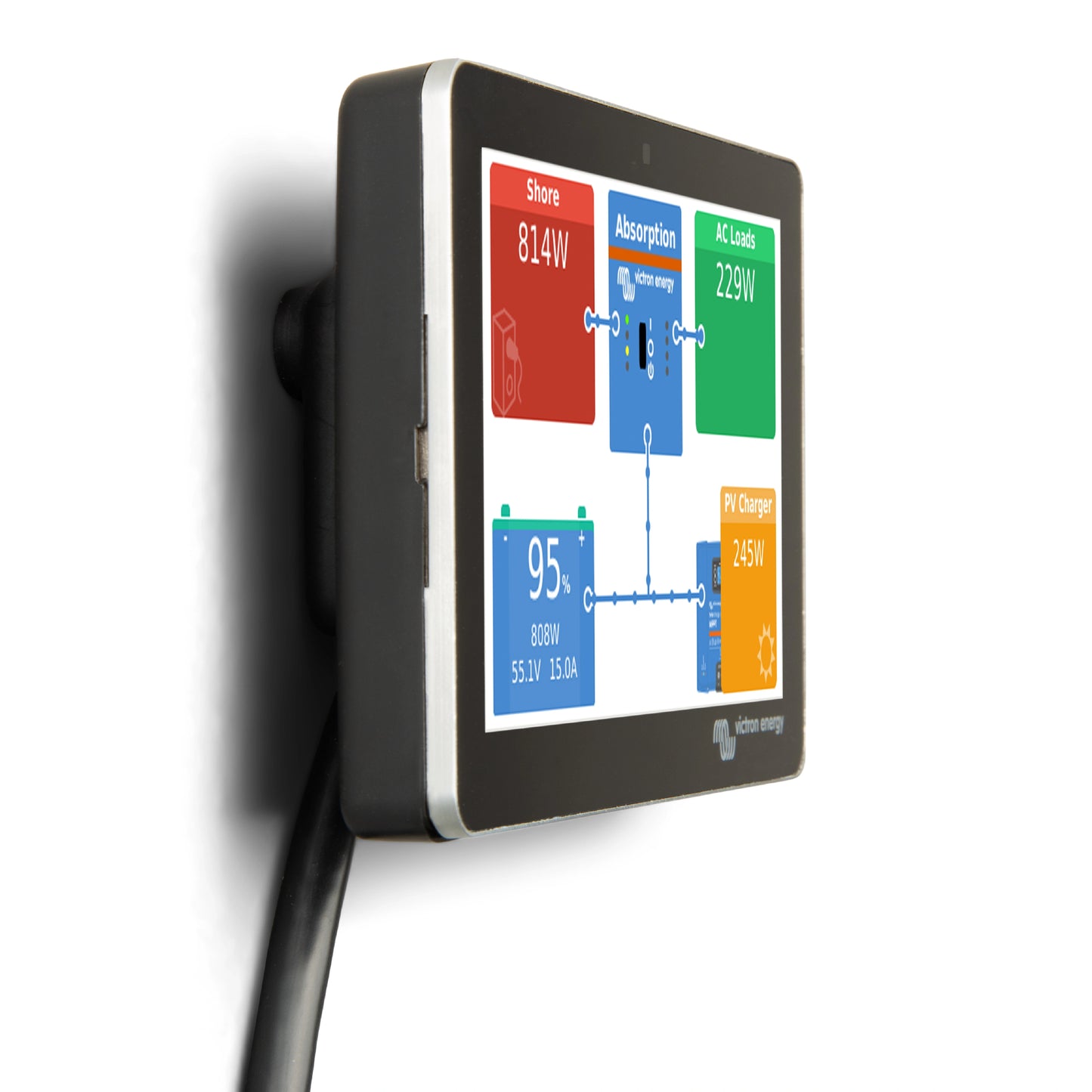
Victron Wall Mount for GX Touch 50 & 70


Regular price
$15.30
Sale price
$15.30
Regular price
$18.00
Unit price
per
IVV50300
BPP900465050
Questions about compatibility? Call us for help.
Get an additional off
Add the item to cart to apply the discount
Ships in 1-2 business days
Carrier delivery times and cost shown at checkout.
Couldn't load pickup availability
The Victron GX Touch Wall Mount is a dedicated surface mounting bracket designed to allow easy, no-cutout wall installation of the GX Touch 50 (5-inch) and GX Touch 70 (7-inch) touchscreen displays. Available in a variant sized for each display — GX Touch 50 Wall Mount (BPP900465050) and GX Touch 70 Wall Mount (BPP900465070) — the bracket fixes to any solid wall using just three screws, with the GX Touch display clipping securely into the mount without any panel cutting, routing, or flush-mounting hardware required.
The wall mount is the simplest installation option for the GX Touch display range — quicker and easier than flush mounting, and requiring no specialised tools or panel preparation. Once the bracket is fixed to the wall with three screws, the display cable is passed through the central opening in the bracket, and the GX Touch display is inserted right side first before being pressed into place on the left side. The cable can optionally be looped around a pin in the bracket for additional pull-strain relief. The entire process takes only a few minutes and requires no special skills or experience.
The GX Touch 50 and GX Touch 70 are the touchscreen display accessories for the Victron Cerbo GX and Ekrano GX monitoring centres — connecting via a single cable to provide a clean local interface for real-time Victron system monitoring and control. Both wall mount variants are compatible with the standard (non-flush) GX Touch 50 and GX Touch 70 models only — the flush mount variants of each display use a different mounting method and are not compatible with this bracket.
Features
No Panel Cut-Out Required
Unlike flush mounting, the GX Touch wall mount requires no panel cutting, routing, or aperture preparation — just three pilot holes for the fixing screws. This makes it the fastest and most accessible GX Touch installation method, suitable for any installer and any wall surface.
Simple Three-Step Clip-In Installation
Fix the bracket to the wall with three screws, route the display cable through the central opening, and clip the GX Touch display into the mount — right side first, then press the left side into place. The entire installation takes only a few minutes with basic tools. An optional cable loop pin provides pull-strain relief on the display cable.
Available for GX Touch 50 and GX Touch 70
Available in two separately sized variants — BPP900465050 for the GX Touch 50 (5-inch display) and BPP900465070 for the GX Touch 70 (7-inch display) — each precision-sized to accept the corresponding GX Touch display securely without modification or adapters.
Compatible with Standard GX Touch Models Only
Designed exclusively for the standard wall/top mount versions of the GX Touch 50 and GX Touch 70. Not compatible with the GX Touch 50 Flush or GX Touch 70 Flush variants, which use a different recessed front profile and flush-panel mounting method.
Secure Clip-In Display Retention
The GX Touch display clips firmly and securely into the wall mount bracket — held in place on both sides with a stable, rattle-free fit suitable for marine, RV, and vehicle installations where vibration and movement are a constant concern.
Complements the GX Touch Protection Cover
When used with the GX Touch Protection Cover (sold separately), the wall mount provides a complete outdoor or exposed installation solution — with the protection cover shielding the display from UV light, water splash, and dust when not in active use.
Specifications
| GX Touch 50 Wall Mount | GX Touch 70 Wall Mount | |
| Part Number | BPP900465050 | BPP900465070 |
| Compatible Display | GX Touch 50 (standard mount only) | GX Touch 70 (standard mount only) |
| Flush Mount Compatible | No | |
| Fixing Method | 3 × wall screws (included) | |
| Panel Cut-Out Required | No | |
| Material | Plastic | |
| Colour | Black | |
| Weight | 0.12 kg (approx.) | 0.15 kg (approx.) |
| Dimensions (l × w × d) | 128.1 × 87 × 24.4 | 176.2 × 113.2 × 25.4 mm |
Datasheets and Dimension Drawing
Datasheet (Cerbo GX & GX Touch)